
Workflow Automation for Small Businesses
Small Business, Workflow Automation, Business Process Automation
The Small Business Guide to Workflow Automation: Grow Big, Not Busy
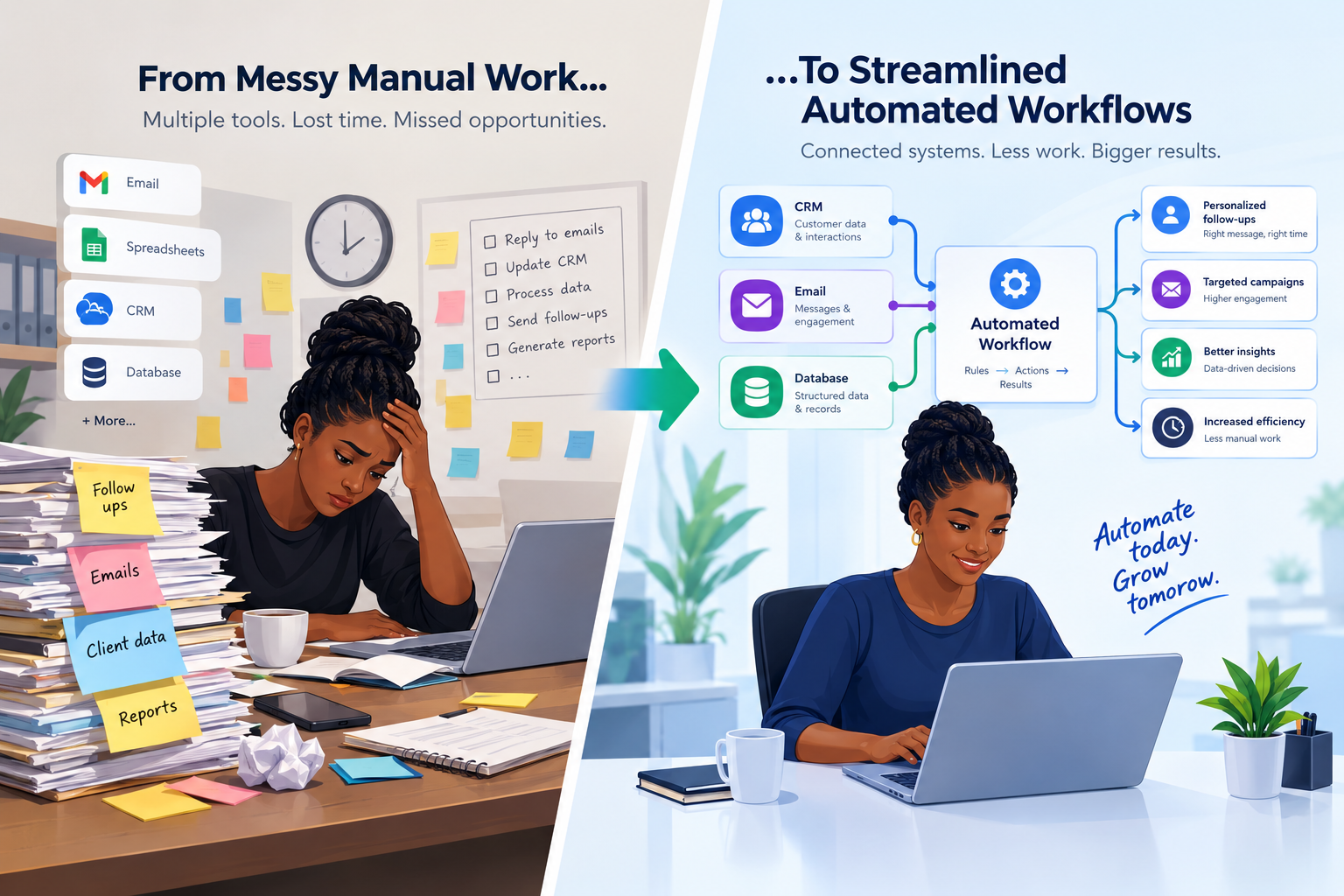
The Hidden Costs of Manual Overhead in Growing SMBs
Most small businesses don’t feel the true cost of manual work until growth hits. What starts as “just a few extra steps” quickly becomes a drag on revenue and morale. Research on business process automation trends shows that organizations are increasing automation budgets by around 20% because manual workflows simply don’t scale without breaking margins (Camunda, 2026; JPMorgan, 2026).
The hidden costs show up in several ways:
Time leakage: Staff spend hours per week on copy‑pasting data, chasing approvals, and re‑entering information into multiple systems instead of serving customers or selling.
Error risk: Manual invoicing, lead entry, and reporting introduce typos, missed steps, and inconsistent data, leading to lost revenue and awkward client conversations.
Decision delays: When reporting depends on spreadsheets stitched together at month‑end, leaders make decisions on stale information.
Burnout and turnover: Talented people hired for strategy or relationship‑building end up doing admin work and eventually leave for roles where their time is valued.
📌 Key Takeaway: Manual overhead doesn’t just waste time; it quietly taxes every sale, every client relationship, and every strategic decision you make.
5 Core Business Processes to Automate Today
You don’t need to automate everything at once. Smart workflow automation tools let you start with the bottlenecks that hurt most. KD Squares consulting typically begins with these five high‑leverage areas.
1. Invoicing and Payments
Manual invoicing often means late sends, inconsistent terms, and slow cash flow. With business process automation small business tools, you can:
Trigger invoices automatically when a project is marked complete in your project management tool or CRM.
Send branded invoices via email with embedded payment links.
Automate reminders at 7, 14, and 30 days past due without awkward personal chases.
2. Lead Intake and Qualification
New leads should never sit in an inbox. With automation, every form fill, email inquiry, or chat conversation can:
Create or update a contact in your CRM.
Trigger a personalized email sequence and assign a sales rep.
Score leads automatically based on form responses or engagement.
3. Task Capture and Assignment
One of the most powerful ways to automate repetitive business tasks is to ensure nothing falls through the cracks. For example:
Convert emails with specific keywords (e.g., issue, support, change request) into tasks in your helpdesk or project tool.
Turn form submissions into standardized checklists for your team.
Automatically assign tasks based on client type, region, or service tier.
4. Client Onboarding
A smooth onboarding experience sets the tone for the entire relationship. Automation can:
Send welcome emails, contracts, and intake forms immediately after a deal closes.
Create a standard onboarding checklist in your project tool, pre‑filled with client details from your CRM.
Schedule kickoff calls and reminders automatically based on time zones and availability.
5. Data Reporting and Dashboards
Manual reporting is a classic time sink. Instead, use workflow automation tools to:
Pull data from your CRM, invoicing, and marketing tools into a central database or BI dashboard on a schedule.
Generate weekly and monthly reports automatically and deliver them to your leadership team’s inbox or Slack channel.
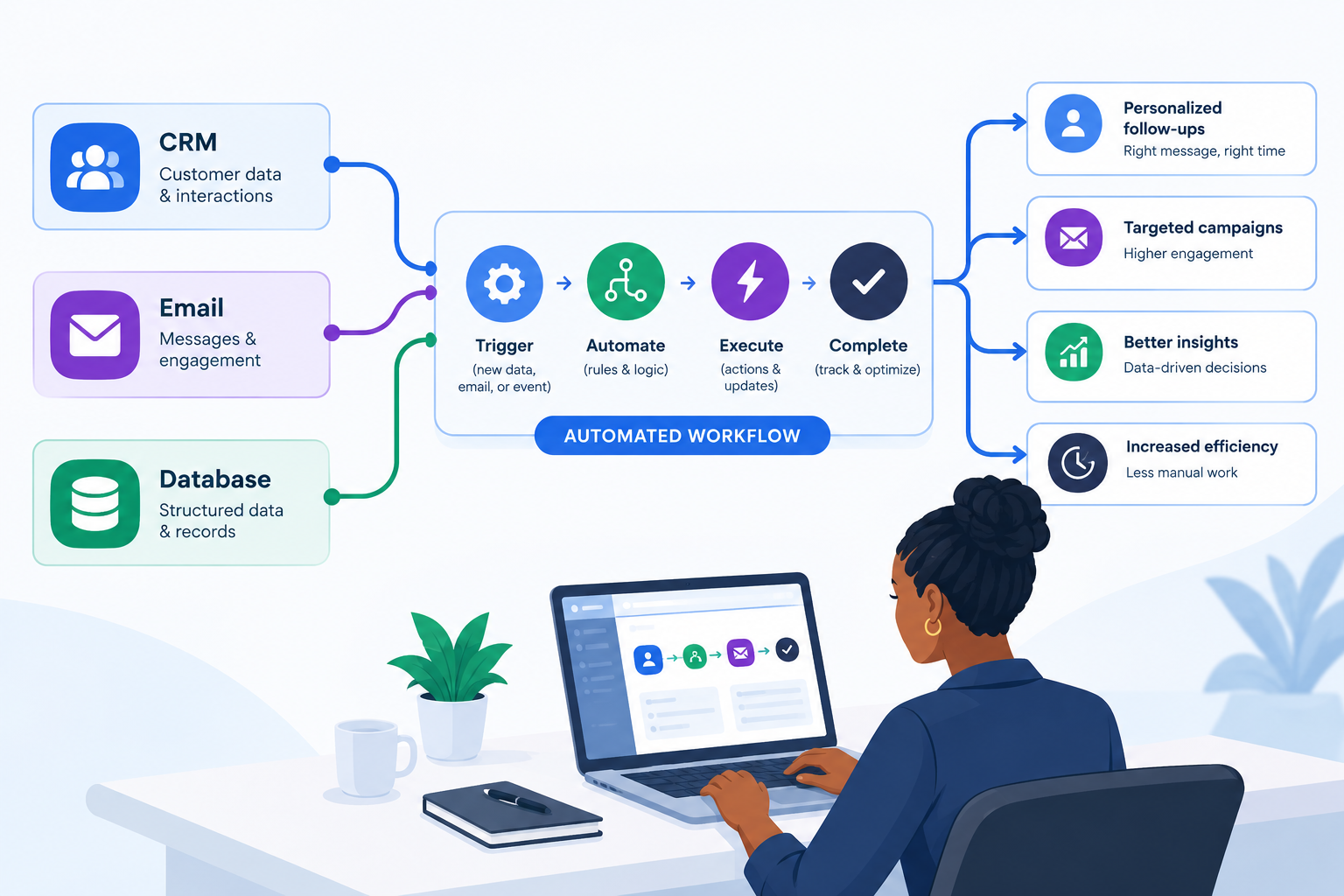
Centralizing data flows turns scattered tools into a single, reliable source of truth.
A Simple Step‑by‑Step Framework to Map Workflows Before You Automate
The biggest mistake small businesses make is jumping into tools before understanding their processes. KD Squares consulting uses a straightforward mapping framework you can apply on your own.
Pick one process. Choose a single workflow like invoicing or lead intake that causes recurring headaches or delays.
List every step. On a whiteboard or digital canvas, write out each action from start to finish. Include who does it and which tool they use (email, spreadsheet, CRM, etc.).
Highlight decision points. Mark steps where a human must decide (approve, prioritize, customize). These often stay manual or become rules for automation later.
Tag repetitive tasks. Circle the steps that are repetitive, rule‑based, and low‑judgment. These are your prime candidates to automate repetitive business tasks.
Define triggers and outcomes. For each circled step, ask: “What should trigger this?” and “What should happen automatically?” (e.g., When a form is submitted, create a CRM record and send a confirmation email.)
Prioritize quick wins. Start with automations that save time weekly, not yearly like standard emails, task creation, and data syncs.
💡 Pro Tip: Take photos or screenshots of your current‑state map, then sketch the “future state” where tools handle the repetitive pieces. This makes it easier to brief an automation partner like KD Squares.
No‑Code and Low‑Code vs. Custom API Integrations: Which Is Right for You?
Today’s automation landscape offers two main paths: accessible no‑code/low‑code platforms and deeper custom API integrations. Both can power effective business process automation for small business. It’s about fit not hype.
No‑Code / Low‑Code Workflow Automation Tools
Platforms like Zapier, Make, n8n, and Microsoft Power Automate dominate the no‑code/low‑code automation market. Analysts report that roughly 75% of new applications now rely on low‑code technologies, with most users sitting outside IT (AIProcessia, 2026; Jitterbit, 2026).
Best for: Small teams needing fast wins and broad app integrations without hiring developers.
Strengths: Visual builders, thousands of connectors, quick deployment, and the ability for “citizen developers” to maintain flows.
Examples: Zapier for simple trigger‑action flows and 9,000+ apps; Make for complex visual workflows; Power Automate for Microsoft‑centric environments; n8n for self‑hosted control (Automation Atlas, 2026; WorkflowAutomation.net, 2026).
Custom API Integrations
Custom API work connects your systems at a deeper level, often running on your own infrastructure or within enterprise‑grade platforms like Workato or Boomi. These shine when:
You have legacy systems or niche tools with limited off‑the‑shelf connectors.
You need strict governance, compliance, or on‑premise data control.
Your workflows are highly customized and business‑critical, where downtime or errors are expensive.
📌 How KD Squares Helps: For many SMBs, the sweet spot is starting in no‑code, then hardening the most critical automations with custom integrations as you scale. KD Squares consulting guides that transition so you avoid both over‑engineering and outgrowing your tools.
Case Study: How Automated Task Capture Freed 10 Hours a Week of Executive Time
A growing marketing agency came to KD Squares consulting with a familiar problem: their CEO was drowning in follow‑ups. Client requests arrived via email, Slack, and meeting notes. The CEO spent late nights turning those into tasks, assigning owners, and chasing status updates.
Together, we mapped their task capture workflow and identified clear automation opportunities:
Client emails with certain labels or subject tags automatically created tasks in their project tool, assigned to the right account manager with due dates based on service level.
A simple form for internal requests routed work to the correct team, with pre‑built checklists for common deliverables.
Meeting notes captured in a shared document were scanned for action items using a low‑code automation that flagged and created tasks automatically.
Within four weeks, the CEO reclaimed an average of 8-10 hours per week. That time shifted from late‑night admin to:
Strategic planning for new service lines.
High‑value client relationship building.
Coaching team leads to own more of the day‑to‑day decisions.
“I didn’t realize how much of my brain was stuck in task triage. Once KD Squares automated our intake, I finally had space to think about where we’re going, not just what’s due tomorrow.”
This is the real power of business process automation small business initiatives: not just doing the same work faster, but freeing leaders to work on the business, not in it.
Ready to Grow Big, Not Busy? Book Your Free Workflow Automation Audit
Manual processes might feel “good enough” today, but they quietly cap your growth. The sooner you map and automate your core workflows, the sooner you unlock capacity, consistency, and clarity across your team.
KD Squares consulting specializes in helping small and mid‑sized businesses design practical and right‑sized automation, starting from where you are with the tools you already use. In a free 30‑minute workflow automation audit, we will:
Identify your top 23 high‑impact workflows to automate (like invoicing, lead intake, or task capture).
Sketch a simple future‑state map showing how data can flow cleanly between your CRM, email, and database.
Recommend a tailored mix of no‑code, low‑code, or custom integrations that fit your budget and technical comfort.
If you’re ready to stop adding headcount just to keep up with admin, and instead build systems that scale with you, now is the time to act. Book your free 30‑minute workflow automation audit with KD Squares today, and take the first step toward growing big, not busy.
