
No-Code Systems: Build, Automate, Scale Easily
No-Code Systems, Business Automation, No-Code Tools
The Ultimate Guide to No-Code Systems: Build, Automate, and Scale Without Coding
No-code systems are changing the way businesses work. Instead of hiring developers or learning to program, you can now build apps, automate processes, and connect tools using visual, beginner-friendly platforms. This guide will walk you through what no-code tools are, how they enable business automation without coding, and how you can start using them confidently in your own work.
What Are No-Code Systems?
No-code systems are platforms that let you create digital solutions using visual interfaces instead of programming languages. Rather than typing lines of code, you drag and drop elements, choose options from menus, and connect building blocks together. The platform then turns your choices into a working application or automated workflow behind the scenes.
These no-code tools are designed for non-technical users such as operations managers, marketers, consultants, and small business owners. They aim to remove the technical barrier so that the people who understand the process best can also design and maintain the solution. In other words, they bring business automation without coding directly into the hands of everyday teams.
Why No-Code Matters for Modern Businesses
Many organizations are full of manual tasks: copying data between spreadsheets, sending follow-up emails, updating status reports, or collecting information from forms. These repetitive activities take time, introduce errors, and slow down growth. Traditionally, automating them required developers, custom software, and long projects that were too expensive for smaller teams.
No-code systems change this equation. They make it realistic to automate everyday workflows in days instead of months. A marketing team can build a lead tracking dashboard, a customer service team can design an intake form and routing system, and a founder can create a lightweight internal app to manage orders, all with no coding experience. This flexibility helps businesses respond faster to new opportunities and challenges.
Key Types of No-Code Tools (Beginner-Friendly Overview)
While there are many no-code platforms, most fall into a few easy-to-understand categories. Knowing these categories will help you choose the right tools for your needs, even as a beginner.
No-code website and landing page builders: These tools let you create websites by dragging sections, images, and text onto a page. You can adjust layouts, colors, and fonts visually, then publish without touching HTML or CSS. They are ideal for marketing sites, portfolios, and simple product pages.
No-code app builders: App builders allow you to create web or mobile applications using visual components like forms, lists, and buttons. You define how data is stored and how screens connect, often using simple “if this, then that” logic instead of code. They are useful for internal tools, customer portals, and lightweight products.
Automation and workflow tools: These platforms connect your existing apps; such as email, spreadsheets, project management, and CRM, and let you create automated workflows between them. For example, you can automatically send a welcome email when a form is submitted or add a new task when a deal is created in your CRM.
No-code databases and spreadsheets: Modern spreadsheet-like tools act as both a database and an interface. You can store structured information, relate records to each other, and build simple views and dashboards without writing database queries.
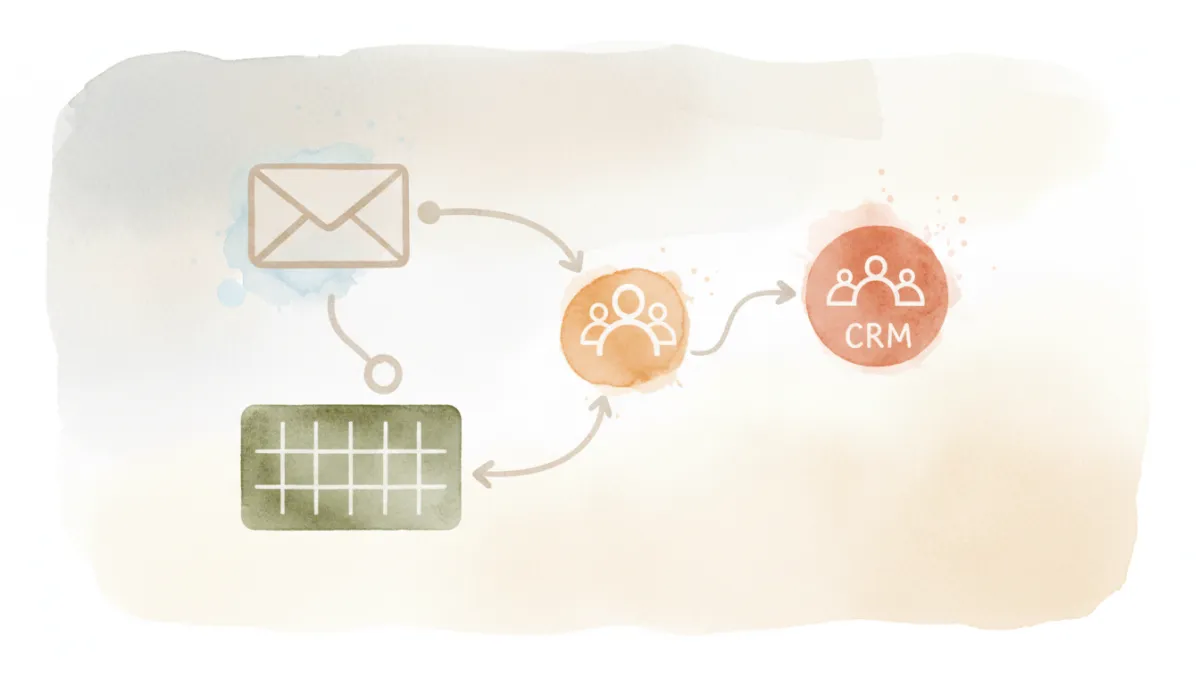
Visual workflows make it easy to see how data moves between your no-code tools.
How No-Code Tools Enable Business Automation Without Coding
The heart of no-code systems is automation. Instead of manually performing the same steps every day, you can design rules and workflows that run automatically. This is what people mean by business automation without coding: using visual tools to define what should happen, when it should happen, and under which conditions, without writing scripts or programs.
Triggers, Actions, and Conditions: The Building Blocks of Automation
Most no-code automation platforms use three simple concepts that are easy for beginners to understand:
Triggers: A trigger is an event that starts a workflow. Examples include “a form is submitted,” “a new row is added to a spreadsheet,” or “a deal is marked as won in the CRM.”
Actions: Actions are the steps the system takes after the trigger. For example, “send an email,” “create a task,” “update a record,” or “post a message in a chat tool.”
Conditions: Conditions let you control when actions run. You might say, “only send this email if the deal value is above a certain amount,” or “route this request to a different team if the customer type is enterprise.”
By combining triggers, actions, and conditions visually, you can design powerful automations that once required custom code. The interface usually guides you step by step, so you can experiment safely and see the impact of your choices immediately.
Everyday Examples of No-Code Business Automation
To understand the potential of no-code systems, it helps to look at practical scenarios. Here are a few common examples of business automation without coding that many teams implement first:
Lead capture and follow-up: When a visitor fills out a form on your website, a no-code workflow can automatically add them to a spreadsheet or CRM, send a personalized welcome email, and notify the sales team in your chat tool, no manual copying required.
Client onboarding: When a new client signs an agreement, a no-code system can create a project in your management tool, assign tasks to team members, share a welcome document, and schedule check-in emails over the first month.
Internal approvals: For expenses, vacation requests, or content approvals, employees can submit a simple form. The no-code workflow routes the request to the right manager, sends reminders if it is not approved in time, and logs the decision automatically.
Reporting and dashboards: Instead of manually compiling weekly reports, no-code tools can collect data from multiple apps, update a central dashboard, and email a summary to stakeholders on a schedule you choose.
💡 Pro Tip: Start by automating one small, repetitive task that frustrates your team. This quick win builds confidence and shows the value of no-code systems before you tackle more complex processes.
Getting Started with No-Code as a Beginner
If you are new to no-code tools, it is normal to feel unsure about where to begin. The good news is that most platforms are intentionally designed to be approachable. You do not need a technical background, but you do benefit from a clear plan. The steps below provide a beginner-friendly path into no-code systems and automation.
Step 1: Identify a Real Process to Improve
Begin by listing tasks you or your team repeat frequently. Look for activities that are simple, rule-based, and time-consuming, such as data entry, follow-up emails, or status updates. Choose one process that is important enough to matter but not so critical that you feel pressure to get everything perfect on the first try.
Step 2: Choose a No-Code Tool That Fits Your Goal
Next, match your goal to a type of no-code system. If you want to build a simple internal app, look for an app builder. If your main aim is connecting existing tools and automating tasks between them, explore workflow automation platforms. Most offer free tiers, tutorials, and templates that are ideal for learning the basics.
Step 3: Use Templates and Examples as Learning Guides
A helpful feature of many no-code tools is their library of pre-built templates. These templates show complete workflows, apps, or pages that you can copy and adapt. As a beginner, start by choosing a template close to your use case. Explore how the triggers, actions, and conditions are set up, then adjust them to match your process. This hands-on exploration is one of the fastest ways to understand how no-code systems work.
Step 4: Test, Refine, and Document Your Automation
Once you build your first workflow or app, test it with a small group of users or with sample data. Watch for missing steps, unclear messages, or edge cases where the automation does not behave as expected. Make adjustments gradually, and write a short description of what the system does and how it is triggered. Clear documentation will help colleagues understand and trust the automation you have created.
Scaling Your Use of No-Code Systems Over Time
After you experience the benefits of your first automation, it becomes natural to look for more opportunities. Over time, you can move from simple, single-step workflows to more advanced systems that span departments. For example, you might connect marketing, sales, and operations in a single automated journey, or build a central internal app that replaces multiple spreadsheets and email threads.
As you scale, it is helpful to treat your no-code tools as part of your broader business strategy. Define who owns each workflow, how changes are requested, and how you monitor performance. Many organizations create a small “automation champions” group made up of motivated non-technical staff who share best practices, maintain key workflows, and help colleagues design new solutions. This approach keeps your use of no-code systems organized as it grows.
Conclusion: Turning Ideas into Reality Without Code
No-code systems are more than a trend; they represent a shift in who gets to build and automate within a business. By replacing complex programming with intuitive interfaces, they allow people closest to the work to design solutions themselves. Whether you want to streamline lead management, simplify approvals, or create a new internal app, no-code tools give you a practical path to business automation without coding experience.
Ready to build your first no-code workflow? Choose one repetitive task from your week, pick a no-code tool with a free plan, and commit to launching a simple automation in the next 48 hours. Small steps now will compound into a fully automated, more efficient business over time.
